What Happens to Your Photos When You Lose Your iPhone
Lost or stolen iPhone? Your photos may be more exposed than you think. What a thief can access, what Find My does, and how encrypted vaults help.
- A thief who knows your passcode can open every photo in your library, including the Hidden folder.
- Find My can erase the iPhone remotely, but only if the phone is online.
- Stolen Device Protection does not cover the Photos app or the Hidden folder.
- An encrypted vault with a separate PIN stays unreadable on an unlocked iPhone.
Every year, millions of smartphones are stolen worldwide.
The passcode is the master key
Every file on an iPhone is encrypted with keys derived from the device passcode and hardware-bound keys stored in the Secure Enclave. Apple's data protection documentation describes several protection classes. The strongest, NSFileProtectionComplete, makes files inaccessible while the device is locked.
Most apps, including Photos, use NSFileProtectionCompleteUntilFirstUserAuthentication. Files are decrypted after the first unlock and remain accessible in memory until the device restarts. A stolen iPhone that hasn't been powered off is readable by anyone who gets past the lock screen.
A Wall Street Journal investigation documented how thieves do it.
The same passcode protects the lock screen, the Hidden folder, Apple Pay, saved passwords, and your entire photo library.
What a thief can access on an unlocked iPhone
Apple introduced Stolen Device Protection in iOS 17.3, and it remains available in iOS 26. When enabled, certain sensitive actions, like changing your Apple ID password, require biometric authentication and a one-hour security delay when the device is away from familiar locations.
It doesn't cover the Photos app or the Hidden folder: the passcode alone is enough, even on iOS 26.
The limits of Find My
Apple's Find My network can locate a lost iPhone, play a sound, display a message on the lock screen, or remotely erase the device.
Between the theft and the erase, your data is exposed. A thief who acts quickly has time to open photos, screenshots, and banking apps. Find My mostly helps with accidental loss.
iCloud recovery
If iCloud Photos was enabled, your photos exist on Apple's servers. You recover them by signing into iCloud on a new device.
The trade-off is that they live on a server, encrypted with keys Apple holds, unless you've enabled Advanced Data Protection. The server-side risks are detailed in Is iCloud Photos Really Private?.
Why standard Photos isn't designed for this threat
The Photos app is designed for convenience: browse, search, share, all behind a single passcode. That means:
- no separate authentication for sensitive photos;
- no per-file encryption with a separate key;
- no way to protect specific photos if the device passcode is compromised.
For private documents, medical records, or personal images, it's a single point of failure.
How an encrypted vault changes the equation
| Scenario | Standard Photos | Encrypted vault (separate PIN) |
|---|---|---|
| Locked, thief has no passcode | Protected | Protected |
| Unlocked, thief has passcode | Fully exposed | Still encrypted |
| Offline, thief has passcode | Fully exposed | Still encrypted |
| Remotely erased | Data wiped | Wiped, restorable via encrypted sync |
An encrypted vault doesn't rely on the device passcode. Each photo is individually encrypted with its own key, derived from a PIN you set inside the app. Even with full filesystem access, the files are unreadable without that PIN.
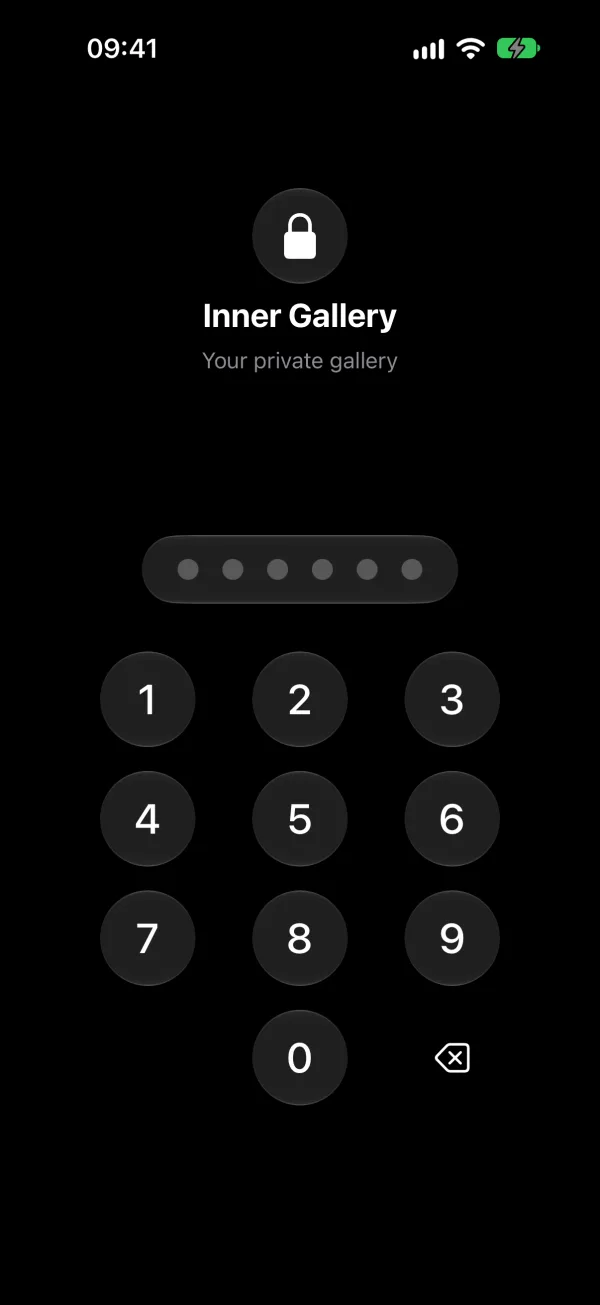
This is how Inner Gallery works. Every photo is encrypted on-device using ChaCha20-Poly1305 via Apple's native CryptoKit framework, and each space has its own PIN and its own key. A thief with your device passcode can open the app, but can't read the photos.
Optional iCloud sync with end-to-end encryption lets you restore the vault on a new device. Panic spaces are never synced.
What to do right now
The iPhone Photo Privacy Checklist has the full list of settings.
Related reading:
- How to Hide Photos on iPhone: every method compared, from Hidden album to encrypted vaults
- iOS Hidden Folder Is Not Enough: why Apple's Hidden album doesn't protect your photos
- Photo Encryption Explained: what encrypted storage means for your photos
- How to Permanently Delete Photos on iPhone: the 7-step process for permanent deletion